A cozy terminal for AI coding tools
Run Claude Code, Codex, and other AI CLI tools in a purpose-built environment with smart input, file editing, cost tracking, and more.
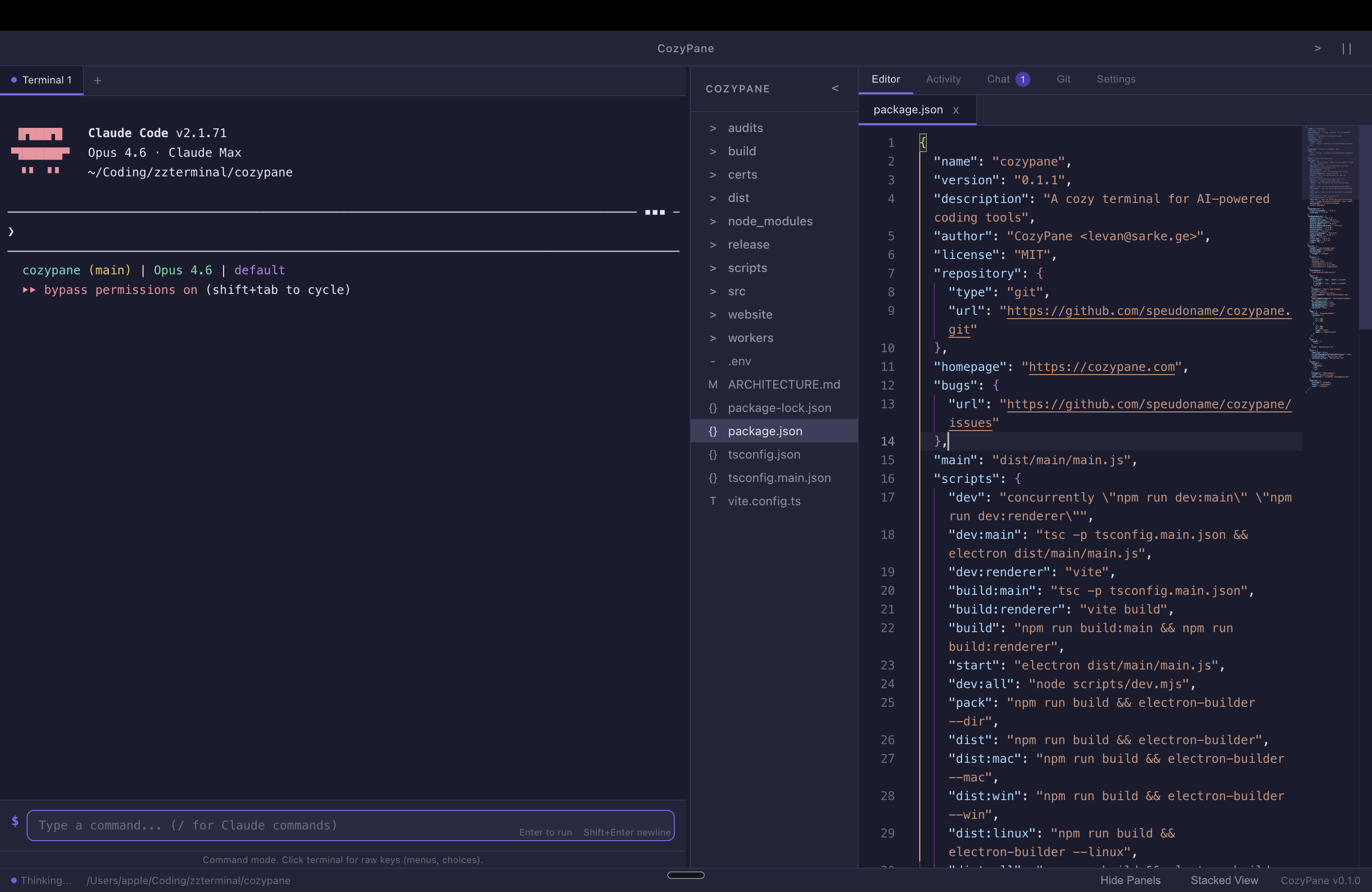
Run Claude Code, Codex, and other AI CLI tools in a purpose-built environment with smart input, file editing, cost tracking, and more.
Warp-style editable command input with slash commands, history, and multi-line support.
Full VS Code editor built in. Edit files side-by-side with your terminal session.
See every file your AI tool touches in real time with change summaries.
Stage, commit, and review changes without leaving the terminal. AI-generated commit messages.
Tabs and split view. Run multiple AI sessions or keep a shell alongside your coding agent.
See exactly how much each AI session costs in real time. No surprises on your bill.
Chat-like view of your prompts and AI responses while the agent runs.
Monaco-powered side-by-side diffs for every file change. Review before you accept.
One-click plain English summaries of what your coding agent changed and why.
Cozy Dark, Ocean, Forest, and Light themes. Pick the vibe that fits your workflow.
Cmd+K to quickly access any action. Navigate files, switch themes, manage terminals.
macOS, Windows, and Linux. Built with Electron for native feel.
Free and open source. Pick your platform.